An Arc alternative for the Mac. Arc stops working on 22 December 2026. Search brings your spaces, pinned tabs, folders, bookmarks and passwords over in one go, and keeps the habits Arc taught you: spaces, pins that keep their site, peek, split view, ⌃Tab, tabs that tidy themselves away.
Search is a free browser for the Mac, about 8 MB, built on WebKit, the engine already in macOS. No account, nothing synced to a server, and the code is open on GitHub.
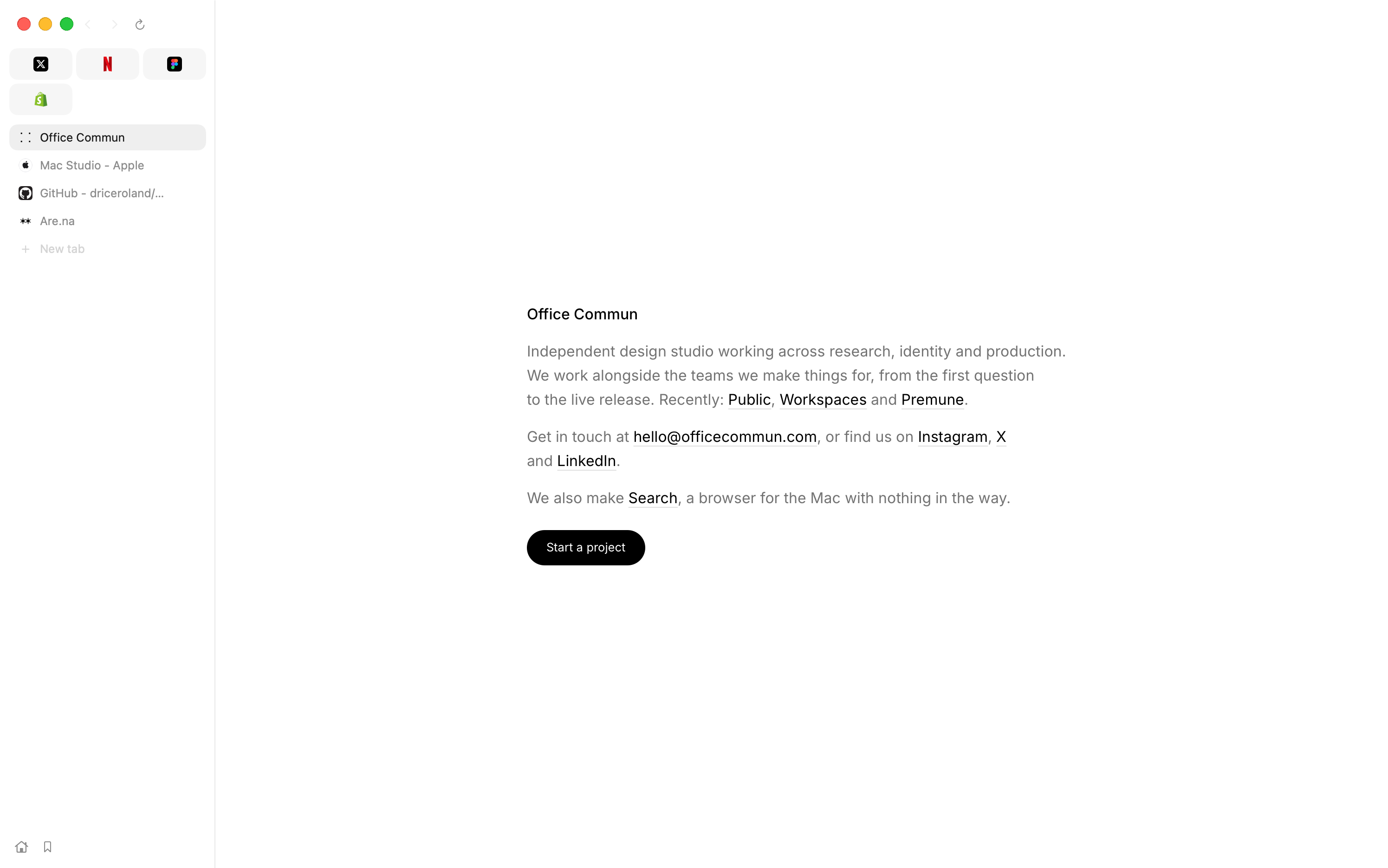
What comes over from Arc
File › Bring Things Over… reads Arc's own files on your Mac. Nothing in Arc changes, and nothing is sent anywhere.
- Spaces. Each of Arc's spaces becomes a space in Search, with its pinned tabs in it, asleep until you go to it. A space from another Arc profile gets sign-ins of its own, apart from the others. Bring Arc over again later and only what is new comes in.
- Favourites. They become each space's pins, wearing their icons from the start.
- Folders. With tab groups on, each folder comes over as a tab group of the same name. With pinned rows on, the pages Arc keeps loose become rows under the pins. With neither, a folder's pages come in opened out, in their order.
- Bookmarks and history. All of them.
- Passwords. Into the macOS keychain, under Search's name. macOS asks once before Search can read Arc's; after that Search offers them under each sign-in field, and Touch ID shows them.
- Extensions. What you added to Arc from the Chrome Web Store is installed fresh from the store, its signature checked, and you say yes to each one. On macOS 15.4 or later. Which extensions work.
Cookies don't come over, so each site asks you to sign in once; your passwords are there to fill it. Arc's notes, easels and boosts have nothing to go into.
What will feel familiar
Most of these are off until you turn them on in Settings. Search starts plain; you add back the Arc you miss.
| In Arc | In Search |
|---|---|
| Spaces | Spaces, each with its icon and its own downloads folder if you like, signed in where you already are or starting afresh. Two fingers sideways over the tabs, or ⌃1–9. The mouse's back and forward buttons over the tabs go from space to space. Settings › Tabs. |
| Favourites | Pins in every space, above each space's own pins. Right-click a pin › Keep in Every Space. Settings › Tabs › Pins in every space. |
| Pinned tabs | Pins as squares, or as rows under them with pinned rows on. ⌘W puts a pin to sleep instead of closing it, and it can go back to the page it was pinned at. Right-click a tab › Pin Tab. |
| A pinned tab keeps its site | Pins stay on their site: a link to another site opens in a peek over the pin, which stays on its page. Settings › Tabs › Pins stay on their site. |
| Peek | Shift-click a link and its page opens in a panel over the one you're reading; keep it as a tab, or put it away. Settings › General › Peek at a link with a shift-click. |
| Split View | Drag a tab onto the edge of a page, or ⌥⌘N. Each space keeps its pairs, after a restart too. Settings › Tabs. |
| ⌃Tab | ⌃Tab walks your recent tabs with previews of each, and takes the pointer too. |
| Archived tabs | Tabs can close themselves after 12 hours, a day, a week or a month, unless they're pinned, named or in a group; ⇧⌘T and History bring one back. Settings › Tabs › Close tabs you leave alone. |
| Little Arc | Links from other apps can open in a small window of their own; ⌘O moves one into your tabs. Settings › General. |
| The command bar | ⌘T can raise the address field over the page you're on. Settings › General › New tab in a floating field. ⌘K lists your open tabs by name. |
| Tab to search a site | Type the start of a site's name, press Tab, and search it: Reddit, YouTube, GitHub, Wikipedia and more. Settings › General. |
| Picture in picture | Leave a video's tab and it follows you in a small window above every app, or when you switch apps; flick it to a corner. |
| Hiding the sidebar | ⌘S folds the column away and the left edge brings it back. ⇧⌘S puts the tabs across the top instead. |
What is different
- WebKit, not Chromium. Pages look as they do in Safari, and there's no second engine to download and keep in memory: Search is about 8 MB and opens in a third of a second. A site built only for Chrome can behave differently, and not every Chrome extension works yet.
- No account, no sync. Tabs, history and passwords stay on the Mac they're on. Nothing goes to a server of ours, because there isn't one.
- Profiles are being built. Separate sets of spaces, each with their own sign-ins, history and bookmarks, are on the roadmap, being built now. Until then a space can keep its sign-ins apart.
- Mac only. macOS 14 or later, Apple silicon or Intel. Extensions need macOS 15.4.
- Made by a small studio. Office Commun, in Paris, with people who send fixes on GitHub. Free, and MIT licensed.
Switch in three steps
- Download Search and drag it to Applications. Download for macOS · Intel Mac? · or
brew install --cask driceroland/tap/search - Bring Arc over. File › Bring Things Over…, pick Arc, and choose what comes: spaces, pins, bookmarks, history, passwords, extensions. Do it before 22 December, with Arc still on the Mac.
- Make it yours. In Settings › Tabs, turn on the Arc habits you want from the list above; in Settings › This Mac, make Search the default browser.
Questions from Arc users
When does Arc stop working?
The Browser Company has said Arc for Mac and Windows stops working on 22 December 2026 and Arc accounts are closed that day. Bring your things over to Search before then, while Arc is still on your Mac.
Does Search import Arc's spaces and folders?
Yes. Each Arc space becomes a space in Search with its pinned tabs, Arc's favourites become pins, and each folder becomes a tab group of the same name when tab groups are on.
Will my Arc passwords come over?
Yes. macOS asks once before Search can read them, and they go into your Mac's keychain under Search's name. Nothing leaves your Mac.
Is Search based on Chromium, like Arc?
No. Search runs on WebKit, the engine in macOS that Safari uses. It still runs Chrome extensions from the Chrome Web Store, on macOS 15.4 or later.
Does Search cost anything?
No. Search is free, with no account and no subscription.
Search is free, for Macs on macOS 14 or later. About 8 MB, a third of a second to open, and your Arc spaces waiting in it.
Download for macOS